


How to install ovi store apps directly from pc to mobile
 Hi i have seen that many people faced problems with the ovi store and their application. i mean to say people wont download the application directly through pc rather we need to download them too mobile only.Now you can install these application directly from pc to mobile without any hindrance following simple steps.
- first of all open the ovi store and then sign in ',if you don't have an account simply make it here.make an ovi account free.
- As soon as you login into your account your model would be selected if you have accessed it ever before,if not supposed you can simply select it by browser.
- After that select the application you want to download,as you done you will be asked to enter your mobile number to send the link but you can see the links mentioned in picture below there are some more character after the application number marked with circle that you need to delete them
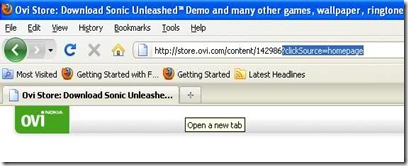
- after doing so he character from the tile you need to write the download after the application number as shown in picture below,
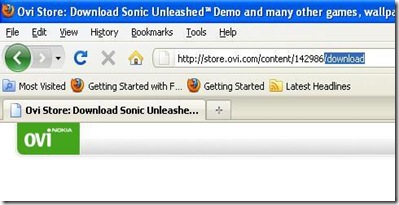
- after that press enter and its all done.


SHARE THIS POST


