


How To Capture Your Desktop Video Using VLC
 VLC is a player but also can be used to record or capture the screen as video). This works with portable VLC tool Player is the Swiss army knife of media players presented, and not without reason. While playing almost every medium you throw on what's amazing about VLC is that it does much more than that.
 One of the cases the potential use of VLC, which can be used as a tool to screen recording. Of course there are other free apps that are better equipped for this task, but there may be situations where you need to have to do some quick screen capture and submit an application for registration to work.
- In the new window, set Capture Device to “Desktop”, and the Desired frame rate to “10 fps” (frames per second). You can set a higher value if you want, but 10-12 fps will make just fine screen casts.
- Do whatever you need to show in your screen cast, then restore the VLC window and click on the Record button again to stop recording.
- VLC will automatically save an AVI file in your Videos folder, which you can then share or do whatever you want with it.
limitations you should keep in mind
.- You can only record your entire desktop. There is no way to record a part of the desktop. This leads to enormous sized videos (like in GBs!) even for relatively short screen casts. For smaller videos, you’ll need to reduce your screen resolution and decrease the “fps” value.
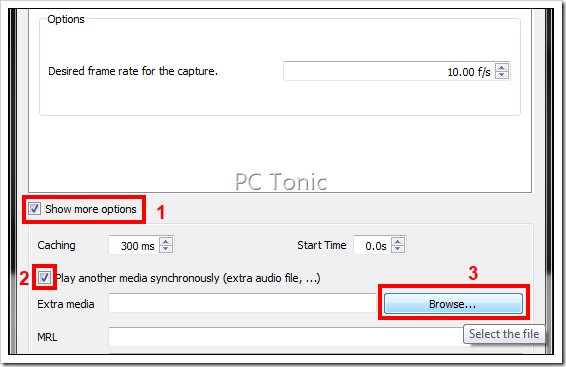
- There is no way to use your voice in your screen cast. You’ll have to record your voice separately and stream that audio file along with the desktop recording. Clicking on the recording button will then save the audio along with the screen cast.
SHARE THIS POST


